.svg)

Feasibility runs in sequence. A scheme gets laid out, then it gets priced, then the numbers come back and tell you whether the last two steps were worth taking. Most developers commit to the scheme that fit the site rather than the one that earned the most on it, because the second answer costs too much to find. TestFit 5.25 moves the question from what fits to what earns.
Mixed Use and Parking Updates
Vertical Mixed-Use
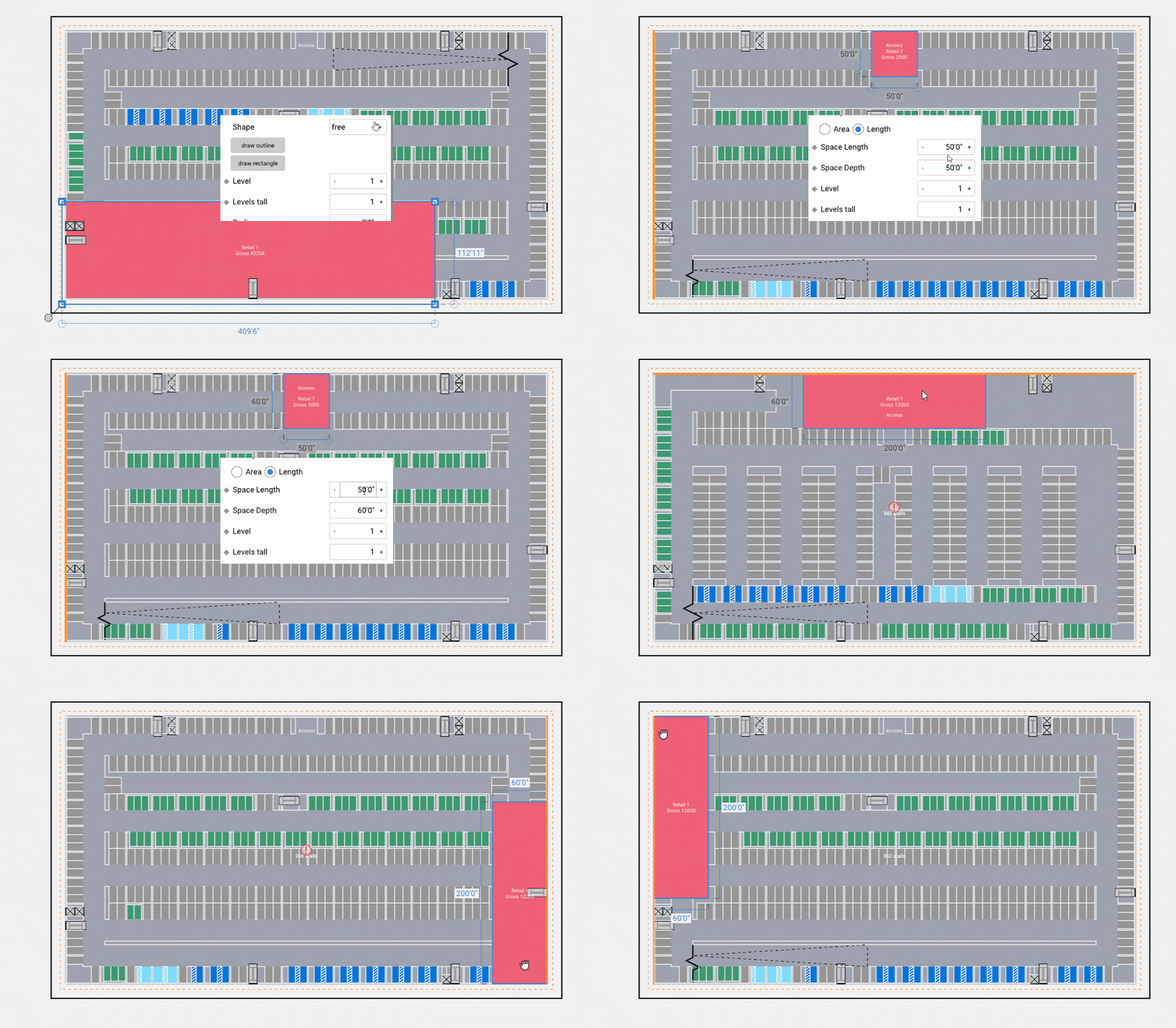
Custom spaces are defined inside parking with the standard space drawing tools, so shape, dimensions, and level assignment are set by the designer rather than inherited from whatever geometry infill leaves behind. A space can also be hosted on an edge of the parking mass, snapping to the face of the structure so placement comes down to width and depth. Stalls and drive aisles respond to each placed space, and space definitions carry across solve iterations and custom presets.
Program holds its shape inside the parking, so leasable area and stall counts are both accurate enough to underwrite. The parking responds to the program instead of the program bending to the stall count, which means mixed-use sites reach a usable plan in fewer iterations, with no time spent tuning infill targets or rebuilding garage program by hand outside TestFit. Revenue on a vertical mixed-use deal is calculated off those areas, so getting them right is what makes the earnings side of the model worth trusting. Parking integrated plans go to partners, lenders, and municipalities without caveats.
Housing Updates
Pro Forma Driven Solves
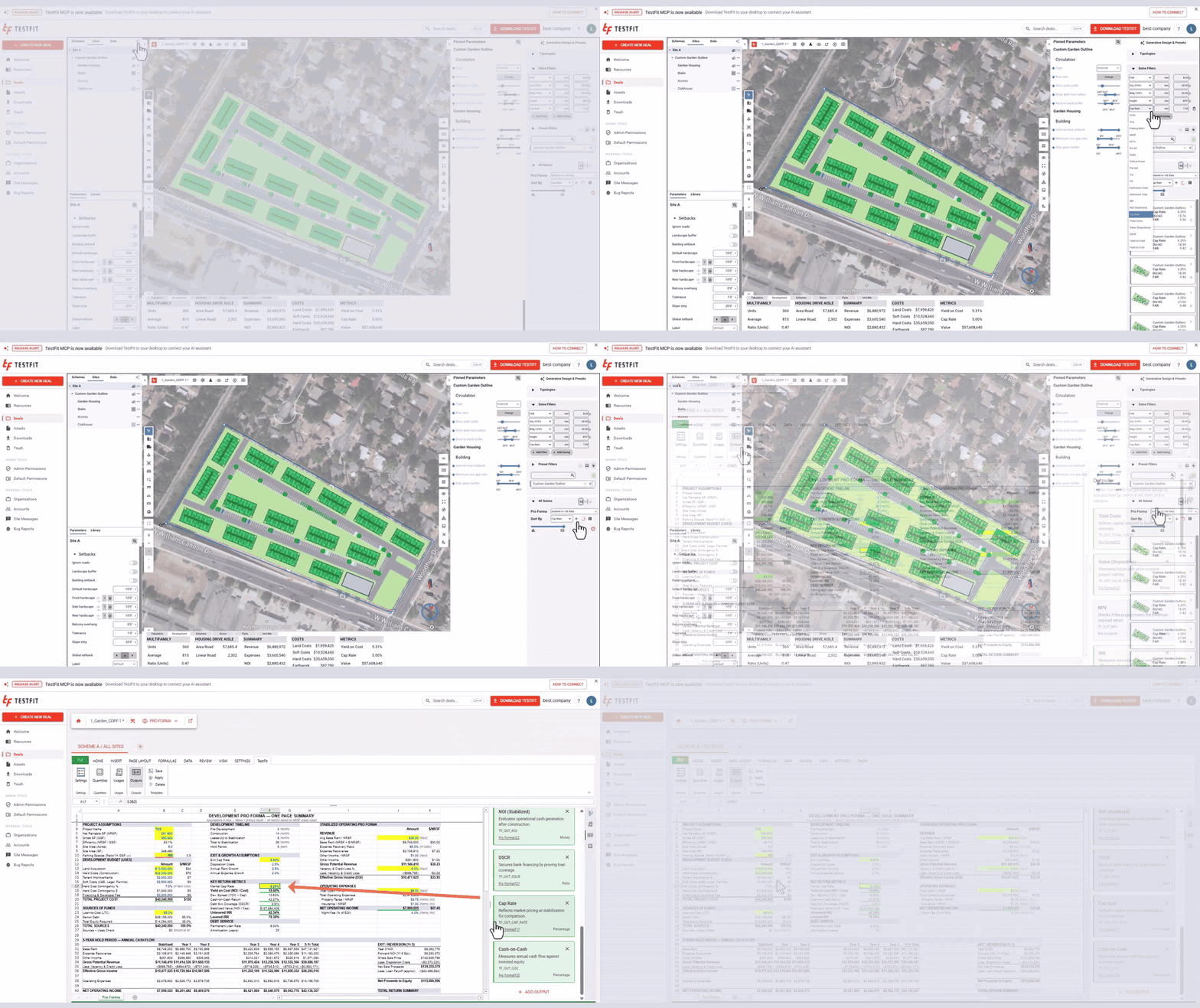
Every solve in a generative design set carries its own full pro forma. Set a minimum, maximum, or range on any line item and the set narrows to the schemes that clear the number. Sort by IRR, yield, cost, revenue, or any other line item and what remains orders itself by the measure the deal turns on.
The scheme a developer commits to is the one that earns the most, not the one that happened to get modeled. Because a complete financial model is computed on every solve rather than the few a team has time to build, the option at the top is the highest returning design the site supports rather than the best of a short list. Schemes that miss the target drop out before more design hours go into them, and the plan that reaches an investment committee carries numbers from the same model that produced the design.
Custom Parcel Definitions
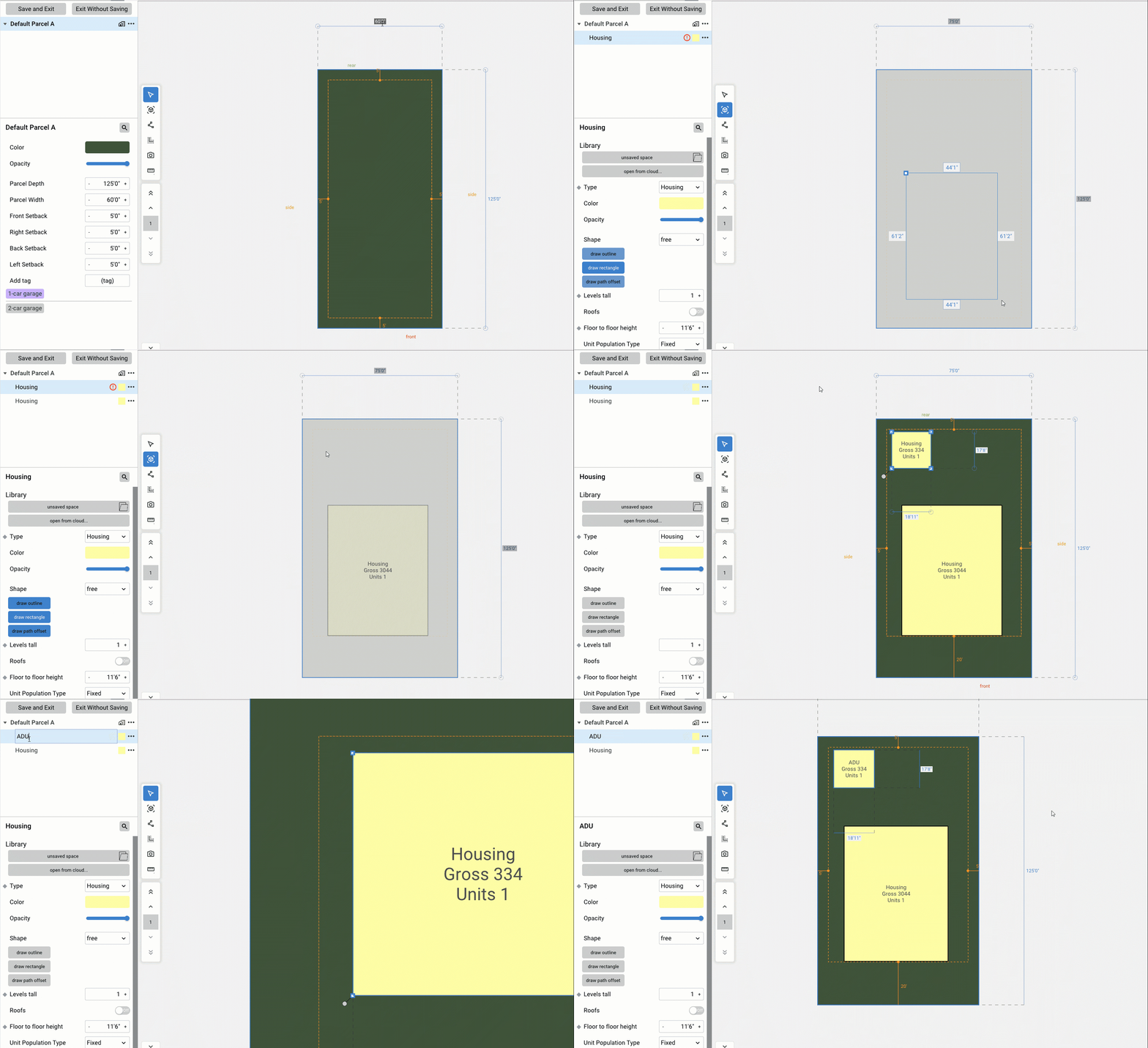
A typical parcel is defined from the ground up, including the buildings, structures, and site elements it contains: a primary residence, an ADU, a custom driveway, or accessory structures. That parcel definition drives the Subdivision presets throughout the model, so every parcel placed or iterated across the site carries the specified configuration. Define once, iterate throughout.
Subdivisions iterate on your actual product type instead of a generic default. Yield gets measured against the homes you intend to build, so the numbers coming off the site reflect a plan you would actually put in the ground. Preset iterations carry real design intent, and the parcel definition lays the foundation for a broader set of assembly types that can be iterated at scale inside TestFit.
Cul-de-sac Control
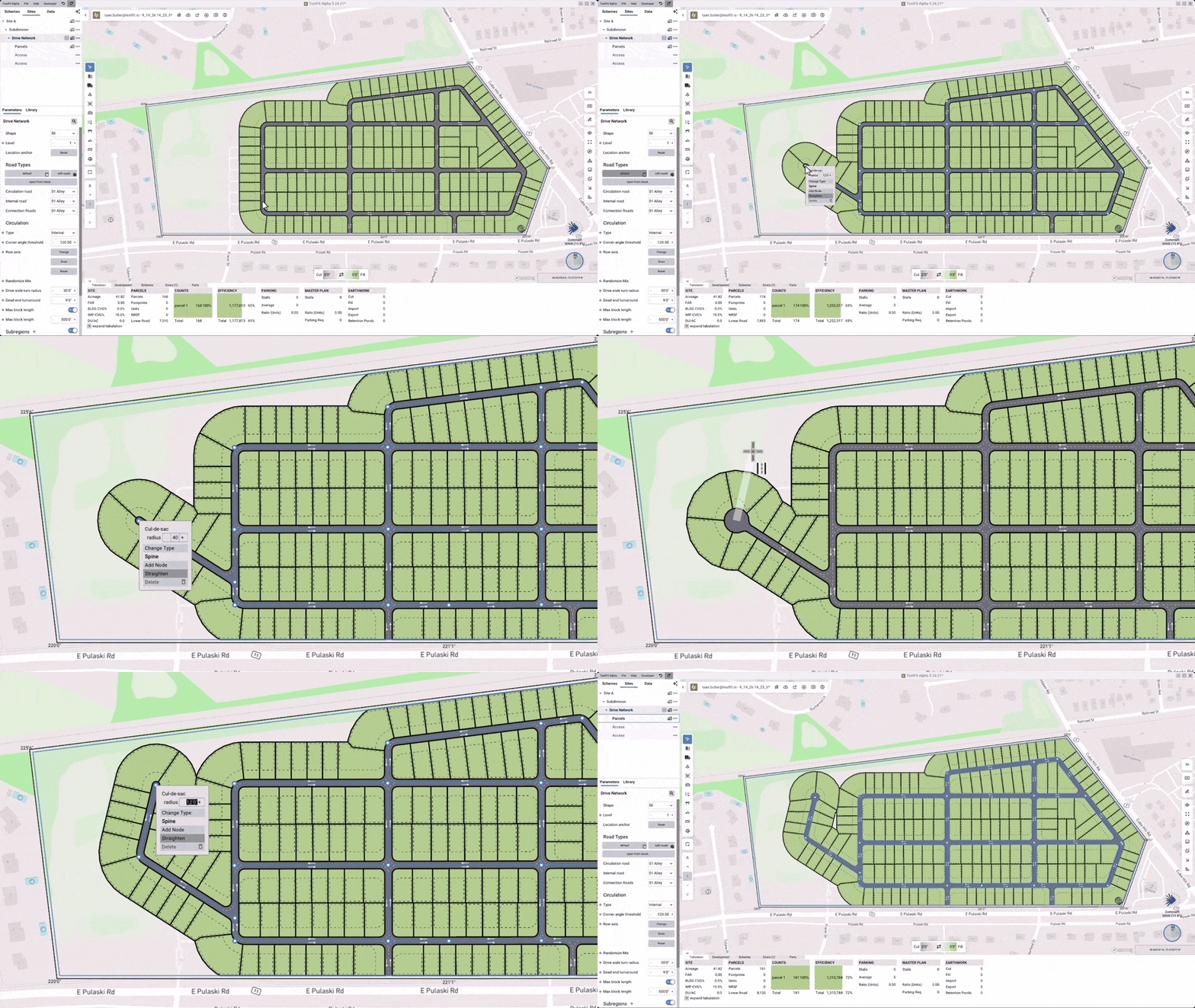
A turnaround appears at every terminal point in the road network, and the width of each one is set individually. Drawing a road into the network puts a cul-de-sac at its end the same way, sized to the number entered. Street endings get set directly, without reworking the road network or giving up the solved layout.
Street endings land where the plan calls for them, and the lot count holds. Neighborhoods read as buildable communities rather than computer generated grids, which is what keeps a plan from getting redrawn before it reaches entitlement.
General Updates
In-Project Guidance
Ask the connected assistant for tips along the way and guidance appears in the TestFit window as pop ups tied to the operation being attempted. Each pop up explains the step required to move forward, and completing that step advances the guidance to the next one, staying with you through the full operation. The hints read the state of the project, so they describe the actual site, the actual layers, and the actual next click rather than a generic example.
Operations you have never run before get finished without leaving the project. Learning an operation happens by completing it, which folds training time into billable work instead of setting it beside it. Capability grows past the handful of commands a team starts with, and more of the product gets used on real projects.
.png)
Watch a Quick Overview:
→ Book a demo to see these updates on your site.